Skip to content
  • Capabilities
  • Portfolio
  • Company
  • Insights
  • Contact

219 Design

Skip to content
  • 219 Design
  • Capabilities
  • Portfolio
  • Company
  • Insights
  • Contact
FacebookLinkedInXEmail

Tech Deep Dives

Deliver Better VR Experiences with Custom Tracked Objects

Kuan LiStaff Mechatronic Engineer

December 7, 2016

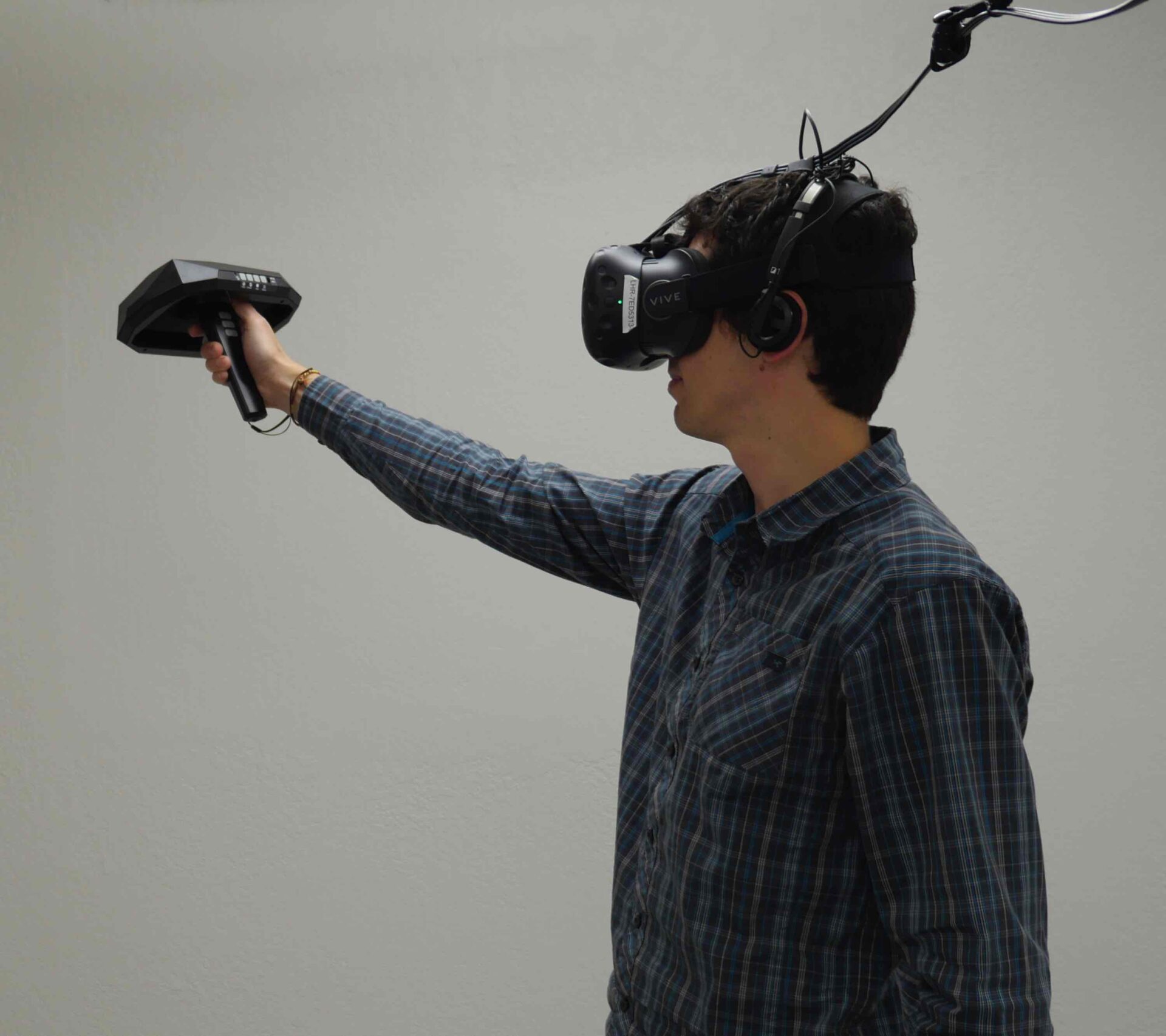
In an internal poll, ten out of ten 219ers strongly believe that custom tracked objects can enhance the sense of presence within a virtual reality experience. Tracked objects aren’t limited to gaming accessories. If the user’s VR experience would be enriched by the ability to hold and interact with a physical object (a medical device, a consumer product, etc.) in “real reality,” that object must be tracked. 

We feel that the HTC Vive system is the best COTS option for room scale VR right now and we were excited when Steam opened up their Hardware Development Kit (HDK) a few weeks ago. If you want to develop custom tracked objects, the seminar put on by Synapse (a $3k+ investment) will be critical to your success. Since 219 Design believes that VR will become an important component of our service offering in the upcoming years, we jumped on the opportunity to add another tool to our tool belt.   

Just last month, we traveled to Seattle to attend a training seminar and get access to the SteamVR Tracking HDK. The HDK allows us to build a trackable device within the SteamVR tracking system. Over the span of four days, we gained the tools and knowledge to use tracking in our own products and prototypes. Here’s a little preview of what we learned…

What is SteamVR Tracking?

Developed by Valve, SteamVR Tracking allows you to track the position of objects in a room in real-time with sub-millimeter accuracy at update rates up to 1 kHz. The tracking system consists of two base stations (aka “lighthouses”) and one or more tracked objects. Each tracked object has multiple optical sensors and an IMU. 

The lighthouses sweep an IR laser around the room, recording the laser angle and time. The tracked object records when the laser is detected by each sensor. That information, along with the tracked object’s geometry, is used to determine its orientation and position within 3D space. The IMU’s primary purpose is to reduce jitter and help with occlusions.
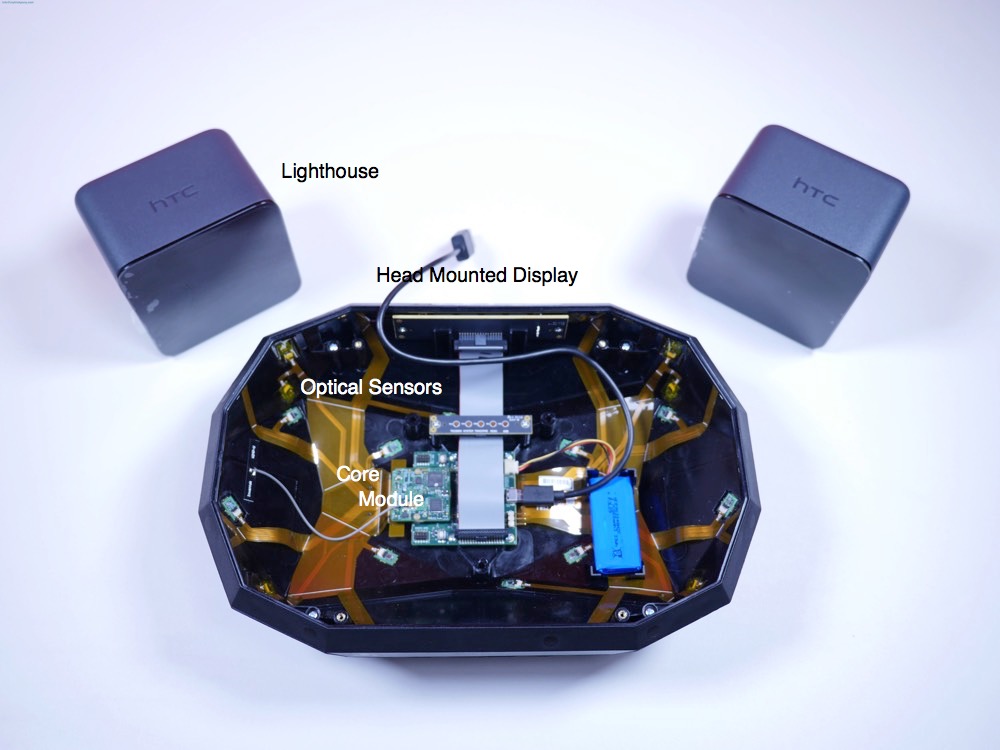
headset-lighthouse
Head Mounted Display and Lighthouses

Key Learnings from the Training

The seminar, run by Synapse Product Development, did a nice job of equipping 219 Design and the other attendees with everything required to design a trackable object. Here are a few of our key takeaways:

Part Design and Sensor Placement is Critical

  
  • To make sure that the object’s position can be continuously tracked, it must have enough optical sensors visible from all directions. This will allow it to detect the lighthouses’ line sweep regardless of how it’s being held or where the user is standing. This must be kept in mind early in the design stage, as it significantly constrains the mechanical design of the tracked object.  
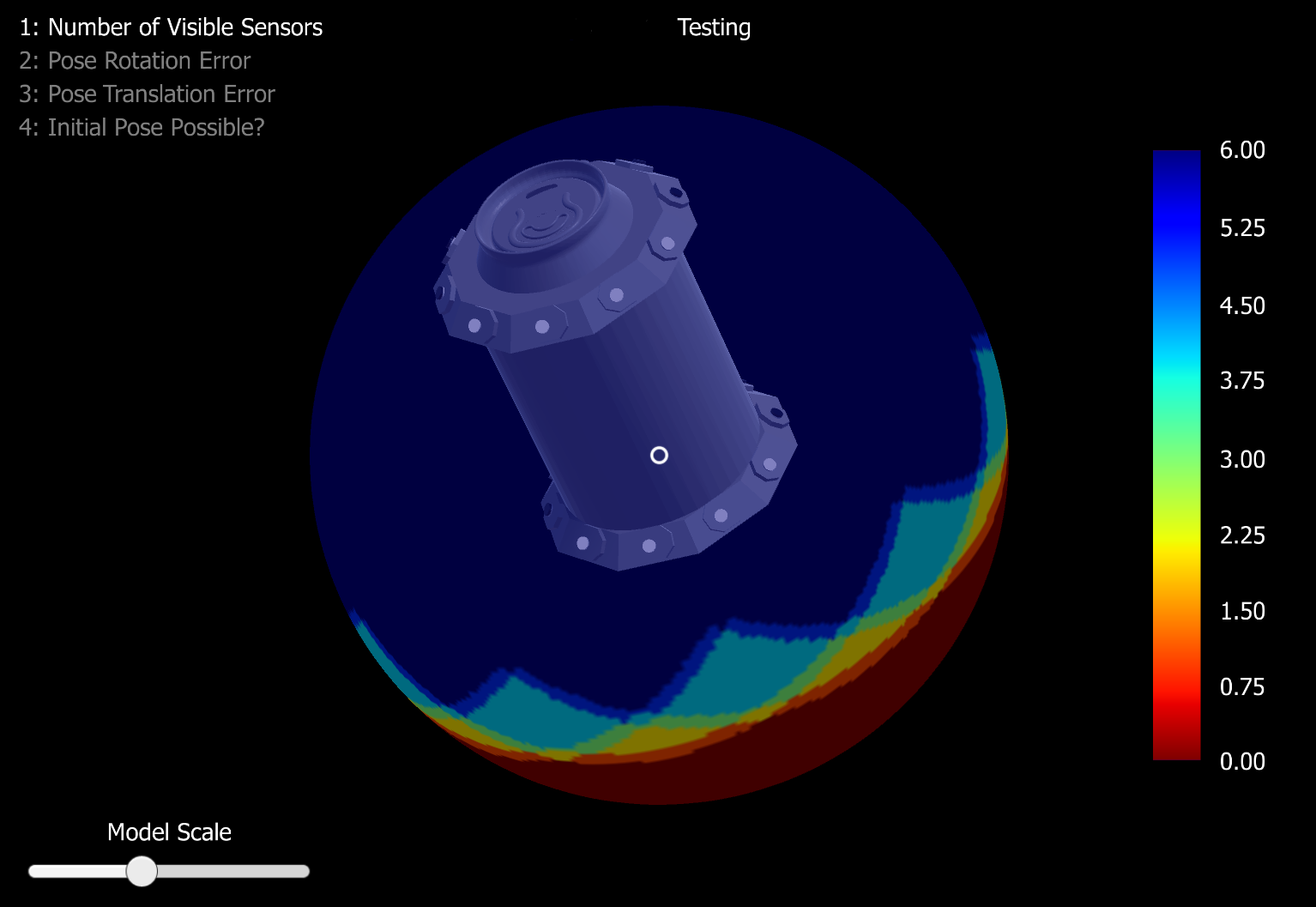
  • To reduce the number of physical prototypes that need to be created and tested, Valve/Synapse has provided a tool called HMD Designer. It not only helps choose optimal placements of the optical sensors on your tracked object but also simulates the expected performance of a particular optical sensor layout.  
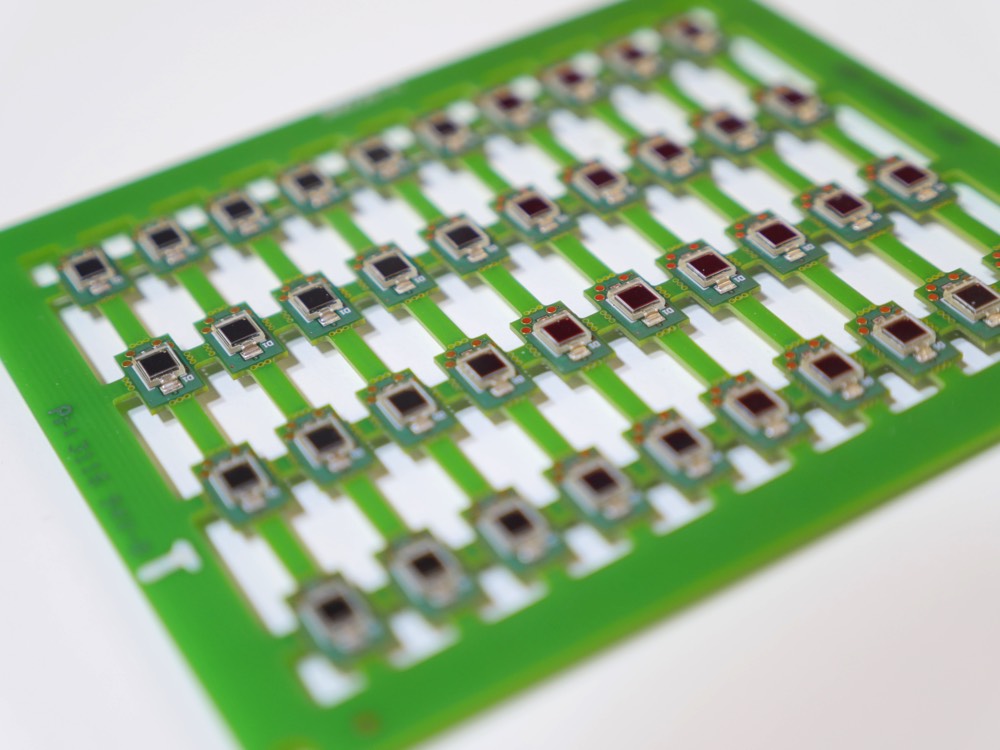
opticalsensor
Optical Sensors

You Must Store Your Calibration

 
  • Every tracked object must be calibrated. A JSON configuration file organizes the data into the required format. This file contains information about the position/orientation of all the optical sensors as well as calibration of the IMU, information about the type of device, render file name information, and more.  


You Can Customize the Board Design

 
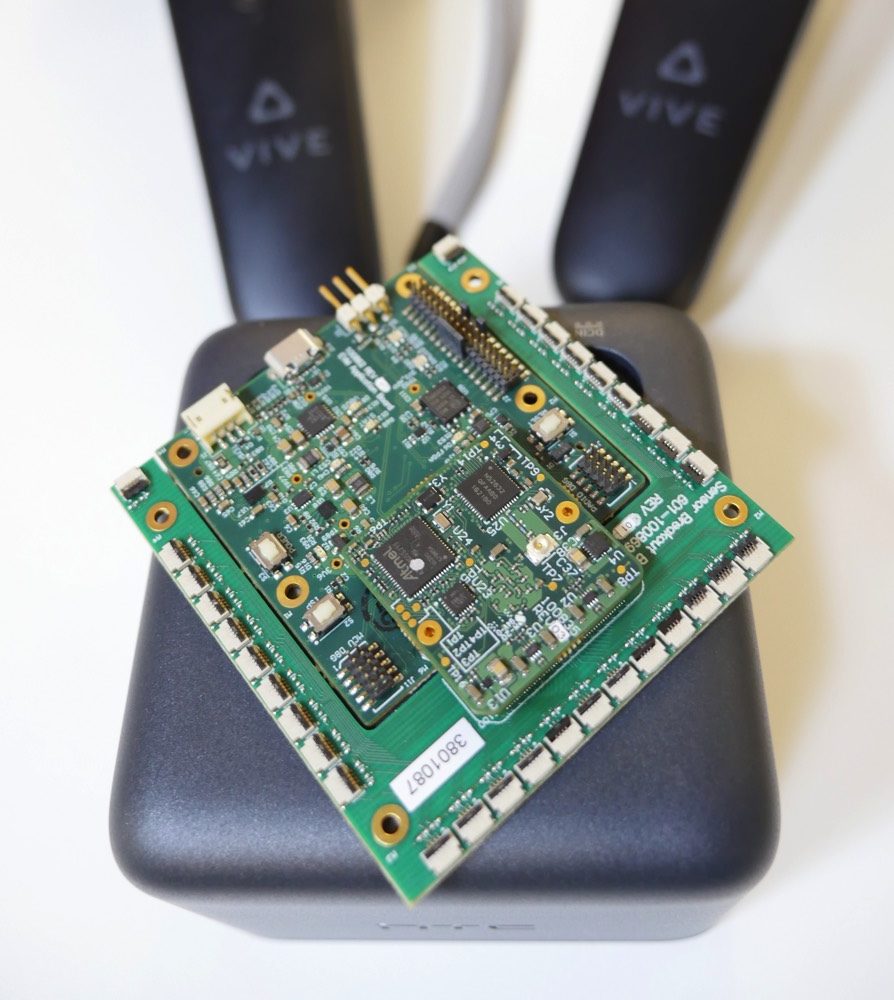
  • The heart of the tracked object is the so-called “core module.” This circuit board has an FPGA, MCU, and inertial sensors. Valve/Synapse provided us with the binaries for the FPGA and MCU, but no source.
  • Valve/Synapse also provide native Altium files and gerbers for this design so it’s simple to fabricate additional copies, or to customize the board design for a specific application.
coremodule
Core Module

Debugging Tips Save Time

If your device doesn’t track properly, there are a few nice tools that you can use to figure out what’s going on:

 
  • Log Files: The SteamVR software logs all connections and debugging information. This wealth of information about error types can help you understand why it can’t track your object.
  • The Lighthouse_console: This command line utility allows for the streaming of IMU as well as optical data. If you have electronic issues or believe that your IMU or an optical sensor is not behaving correctly, you may be able to diagnose it through this utility. It is also useful for general control and testing of basic controller functionality.
  • Try It:  Sometimes it’s simply a mapping issue of a particular sensor. If that is the case, slowly exposing it in the SteamVR space may find the issue. 


What’s Next for 219 Design?

We are already designing custom tracked objects! We have started working on a device that uses VR tracking for a very exciting, but confidential client. And, we’re having some fun kicking around ideas like a tracked beer koozie so you never lose your drink while you’re in VR again.  

We’re looking forward to working on more VR-related projects in the near future.  This class has made it clear that our interdisciplinary way of doing things makes us a great fit for this kind of work. Our in-house staff of software and firmware developers, mechanical and electronic engineers, and product and user interface designers work together to provide better outcomes for our clients.

If you have a project that could benefit from SteamVR Tracking, you can reach us at getstarted@219design.com.
Read more about 219 Design’s experiments in VR on our News page and here.

beer_koozie
Simulation of Tracked Beer Koozie performance


Sign up for our newsletter

Please verify that you are human.

  • Contact
  • Privacy
  • Opt-out preferences
LinkedIn
Instagram
Facebook
219 Design

219 Design, LLC© 2026

Manage Consent

This site uses cookies for web analytics and targeted advertising purposes. You can accept this tracking or exercise your right to opt out by visiting our Opt-Out Preferences page.

Functional Always active
The technical storage or access is strictly necessary for the legitimate purpose of enabling the use of a specific service explicitly requested by the subscriber or user, or for the sole purpose of carrying out the transmission of a communication over an electronic communications network.
Preferences
The technical storage or access is necessary for the legitimate purpose of storing preferences that are not requested by the subscriber or user.
Statistics
The technical storage or access that is used exclusively for statistical purposes. The technical storage or access that is used exclusively for anonymous statistical purposes. Without a subpoena, voluntary compliance on the part of your Internet Service Provider, or additional records from a third party, information stored or retrieved for this purpose alone cannot usually be used to identify you.
Marketing
The technical storage or access is required to create user profiles to send advertising, or to track the user on a website or across several websites for similar marketing purposes.
  • Manage options
  • Manage services
  • Manage {vendor_count} vendors
  • Read more about these purposes
View preferences
  • {title}
  • {title}
  • {title}